Answer
- 1
Has the App loaded?
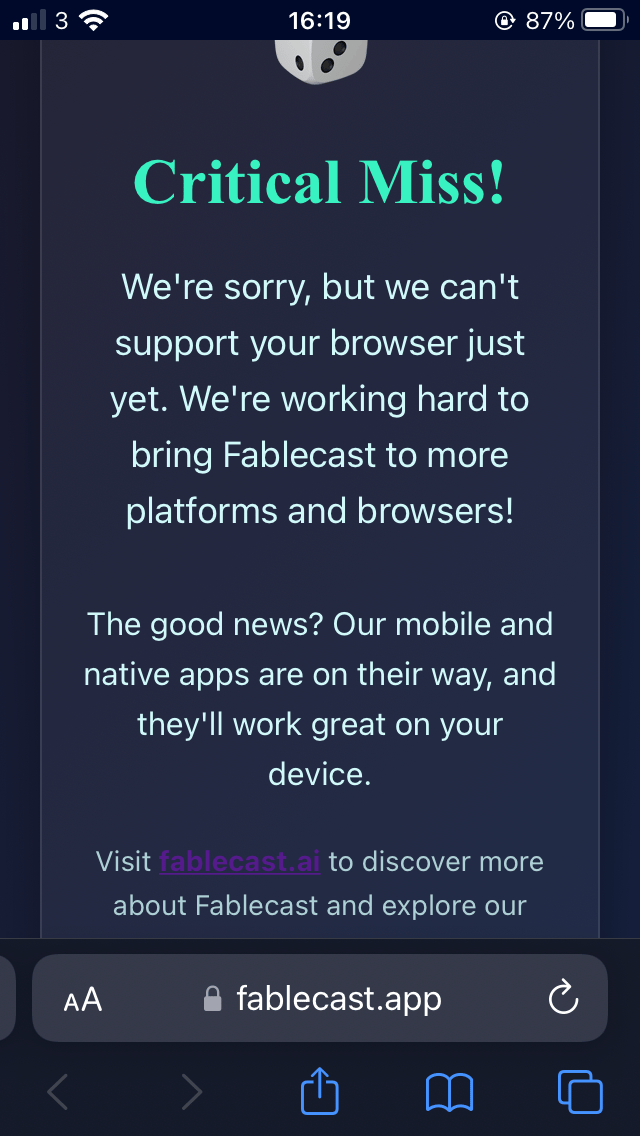
Your game failing to load could mean two things. First we need to check if your browser can support Fablecast. We recommend using Chrome browser to play Fablecast. We use a technology called Web Assembly that is supported by all modern browsers. Safari prior to version 18, and some less popular browsers can block Web Assembly. If you see an error screen when loading Fablecast such as the screenshot below then try a different browser.
- 2
I'm still waiting for a storyteller
If you are stuck searching for a storyteller, it's possible that our servers are too busy. In that case, rest assured we'll be working on adding more storytellers as quick as we can. You can also try logging out, and logging back in again.
- 3
I said 'I'm Ready' but the storyteller never speaks
If you've found a storyteller but the game never loads to have a conversation with you, this could mean a problem with the storyteller. We recommend you try again later. If you are still having problems it's likely your saved world has been corrupted. Unfortunately you need to delete your world and start a new one.
- 4
Fablecast the app keeps crashing
If the app itself is crashing we recommend you uninstall it and reinstall. If you're playing on the web we recommend clearing your cookies and reloading.